Kannada OCR
Read Kannada from a photo or a scan. The tool below runs in this browser, and the language menu already says Kannada.
Drop your images here
JPG, JPEG, PNG, and WebP. Maximum size 10 MB each.
PDF files belong on the separate PDF OCR tool.
5 of 5 pages left today
Image processing runs locally in your browser. Your image is not uploaded to our server. The OCR engine may download language files the first time you use a language.
How to read a Kannada image
1
Add the image
Drop a JPG, JPEG, PNG, or WebP file, or paste one from the clipboard. Each image can be up to 10 MB.
2
Leave the language on Kannada
The menu already says Kannada. Change it only when the picture is in another language.
3
Extract the text
Press Extract Text. Then use Copy all, Download TXT, or Download DOCX. You can edit the text before you copy it.
What this page accepts
These are the limits of the free tool in this browser.
- File types
- JPG, JPEG, PNG, and WebP
- File size
- Up to 10 MB per image
- Pages per day
- 5 pages per day in this browser. One image counts as one page. The count resets at 00:00 UTC.
Sample
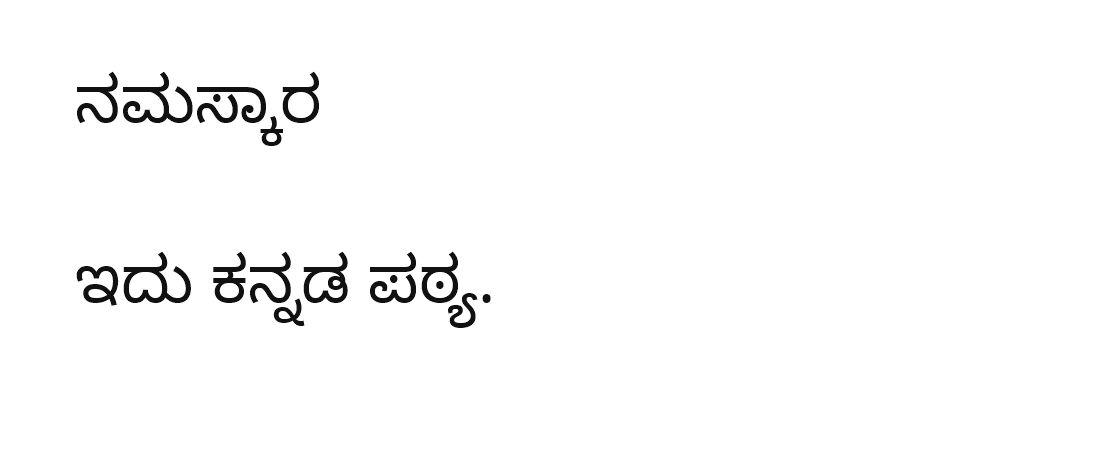
Text read from this image
ನಮಸ್ಕಾರ ಇದು ಕನ್ನಡ ಪಠ್ಯ.
This picture is a real file in the project. The text beside it is what the in-browser OCR returned from that file.
Questions
Does Kannada OCR upload my image?
The image and the extracted text stay in this browser. The first time you use Kannada, the OCR engine may download its Kannada language files.
Which files can I use?
JPG, JPEG, PNG, and WebP. Each file can be up to 10 MB.
How many pages can I read today?
5 pages per day in this browser. One image counts as one page. The count is stored in this browser and resets at 00:00 UTC. It is not an account limit.
Can I correct a word before I copy it?
Yes. The text box is editable. Copy all, Download TXT, and Download DOCX use the text you see.
Will it read handwritten Kannada?
This page reads printed text in the browser. Handwriting is listed with the cloud unlocks on the pricing table. Those plans have a Join waitlist button and do not start a checkout.